FAQ
Newest Work
About the Letter Theme
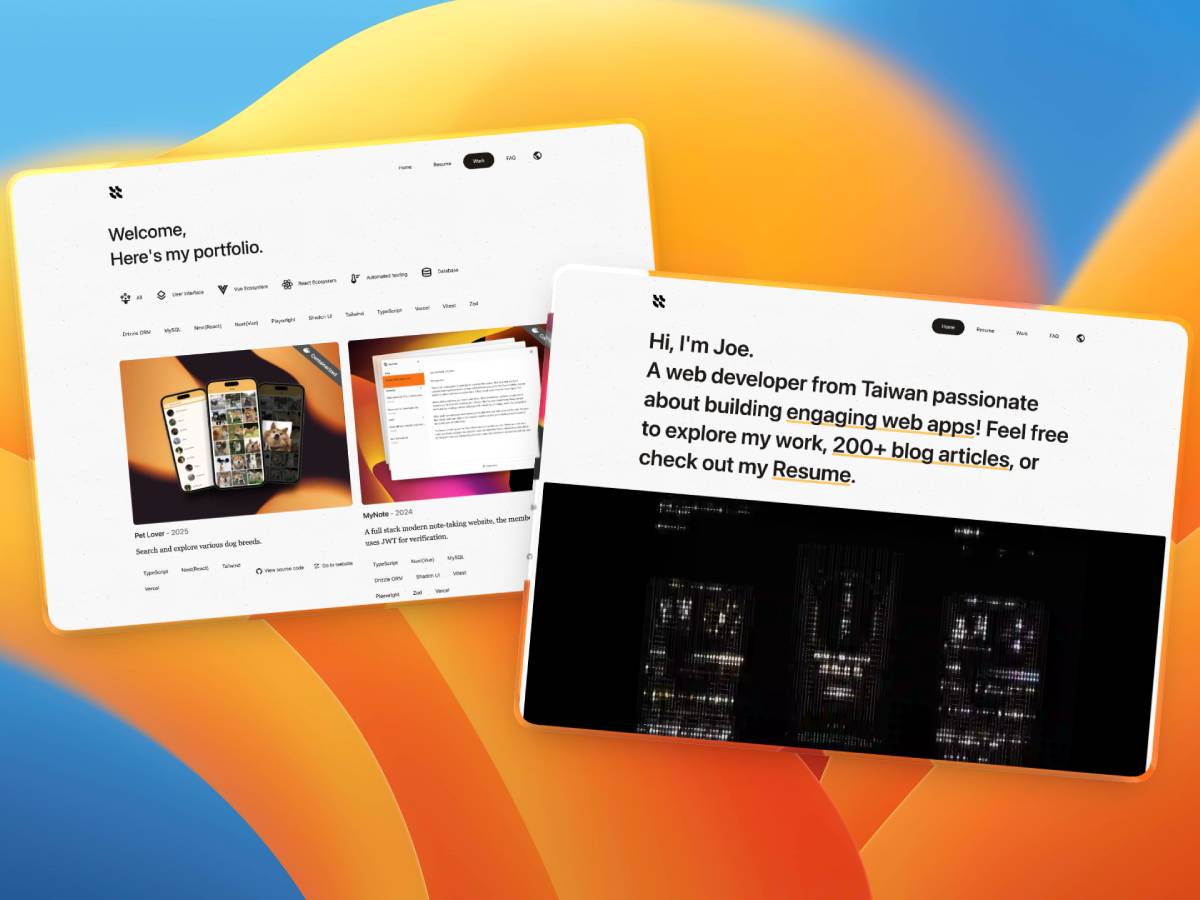
Easily build your own online Resume, Portfolio, or even a FAQ page through fully typed markdown and settings. This website is built using the Letter Portfolio theme and deployed on GitHub Pages.
Features
- Astro v6 + Tailwind v4
- Optimize for speed (100% lighthouse score)
- Responsive & SEO-friendly
- Built-in i18n
- CI pipeline (ESLint + Prettier + TS Typecheck + Lighthouse)
- CD pipeline (Cloudflare Pages or GitHub Pages)
Getting Started
Development
# 1. Clone the repository
git clone https://github.com/riceball-tw/letter.git .

# 2. Install dependencies
pnpm install

# 3. Run development server
pnpm run dev
Customization
astro.config.mjs: Astro configssite: Your final, deployed URL
/public: Assets used in the site (logo.svg, favicon…)/src/content: Site config, projects, resume and faq content/src/styles/global.css: Styles/src/i18n: Translation used in astro templates/.github/workflows/deploy-pipeline.yml: GitHub CI/CD pipeline (You should setup env below)LHCI_GITHUB_APP_TOKEN,LHCI_TOKEN: For lighthouse and GitHub integrationCLOUDFLARE_ACCOUNT_ID,CLOUDFLARE_API_TOKEN: For Cloudflare Wrangler CD Pipeline.BASE_URL: Prefix for every link and assets in website (Useful for GitHub Pages deployment that has no custom domain)
Build
# 1. Deploy the contents of the `./dist` folder wherever you like.
pnpm install
pnpm build
pnpm preview

# 2. Deploy docker container wherever you like.
docker build -t <your-astro-image-name> .
docker run -p <local-port>:<container-port> <your-astro-image-name>
Helping out
For questions or support, please open an issue on GitHub.
License
MIT